
Getting started with Shippo
Objective
Set up a Shippo account, connect the required online stores or marketplaces, upgrade to the appropriate Pro plan, and grant The Three Logistics (TTL) secondary user access. Completing these steps allows TTL to access connected sales channels through Shippo, review incoming orders, and support the shipping and fulfillment process using authorized account access.
Getting Started
To get started, go to shippo.com and create an account with a Professional plan subscription. Shippo Pro Plans start at $19 per month and include multiple user logins. Current pricing and plan details can be reviewed here: https://goshippo.com/pricing/
First, set up your Shippo account to fulfill individual orders
- Log in to your Shippo account.
- Click Settings in the right navigation panel.
- Click Stores.
- Click Connect Store.
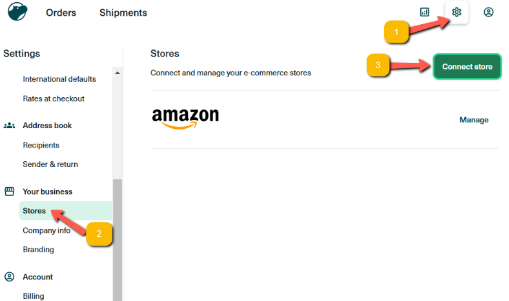
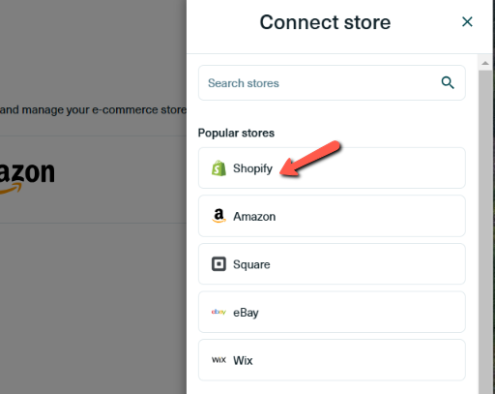
- Choose your marketplace. For example, Shopify.
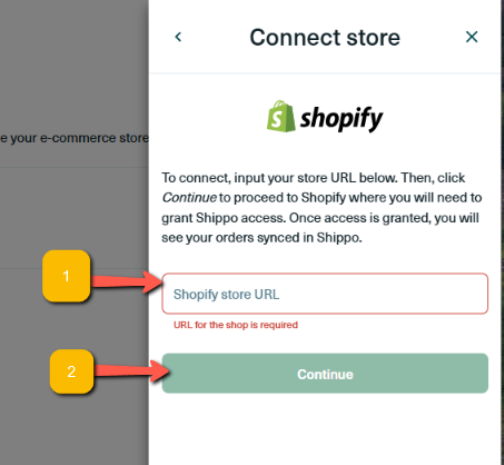
- Enter your Shopify store URL, then click Continue.
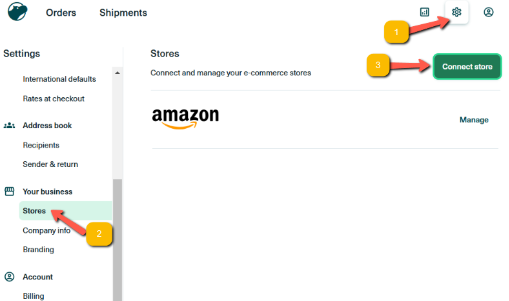
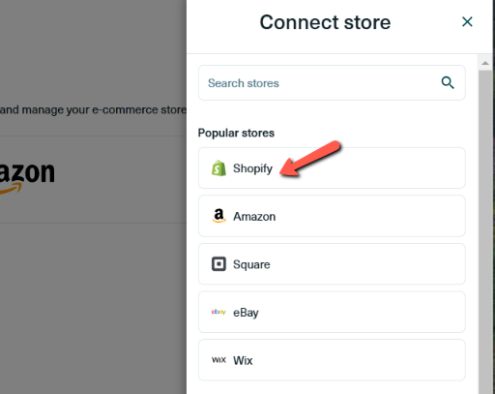
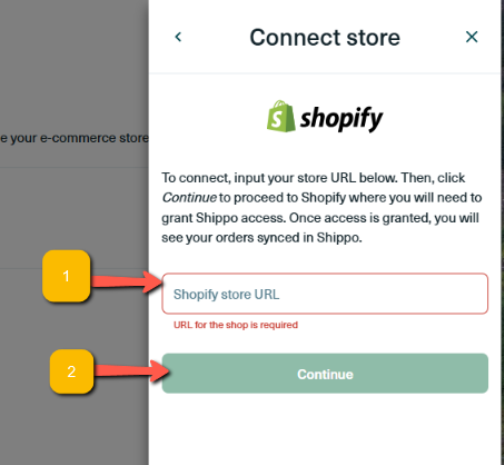
The process is similar for each marketplace. Choose the marketplace you would like to connect from the Settings menu and follow the prompts provided by Shippo.
Please make sure a payment method is added to your Shippo account so shipping labels can be purchased when orders are ready to ship.
Next, add The Three Logistics as an additional user in your Shippo account
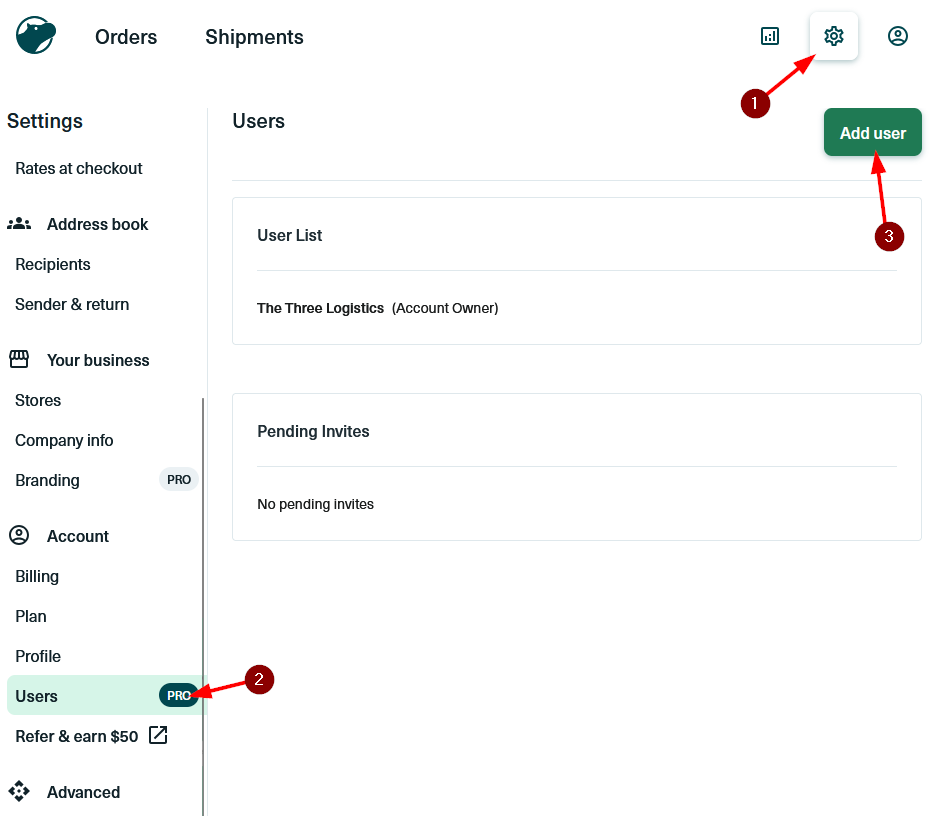
- Open the Settings tab and click Users.
- Click Add User from the top-right side of the user management page.
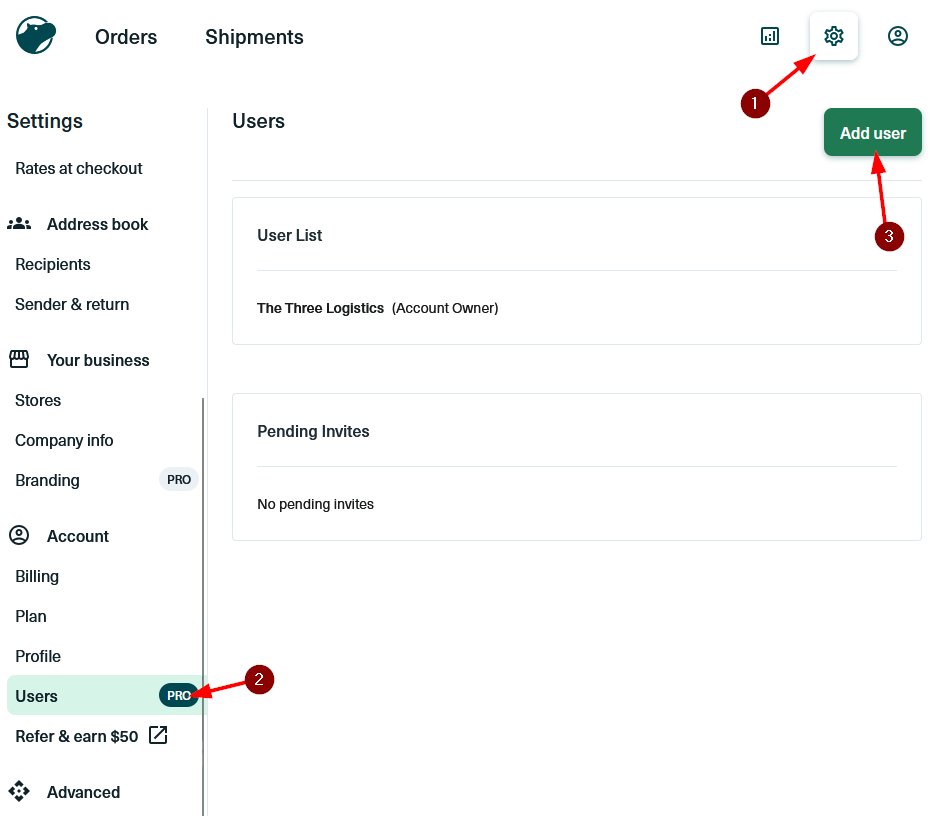
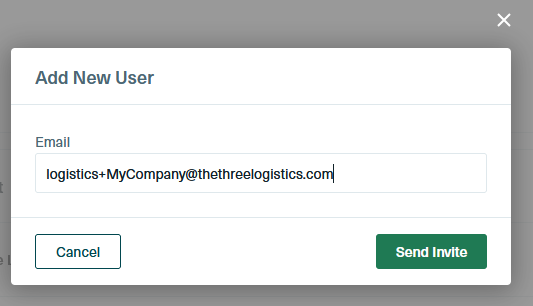
- Enter the email address assigned to your business. The format will be logistics plus your short business name at the TTL domain. Example format: logistics+[ShortBusinessName]@thethreelogistics.com. Replace [ShortBusinessName] with your company name.
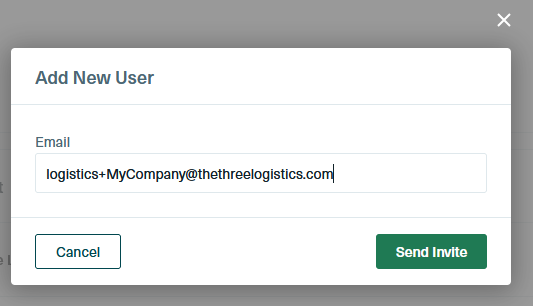
- Click Send Invite. TTL will receive the invitation and complete the user access setup. The user may appear as Pending until setup is completed on our end.
No comments to display
No comments to display